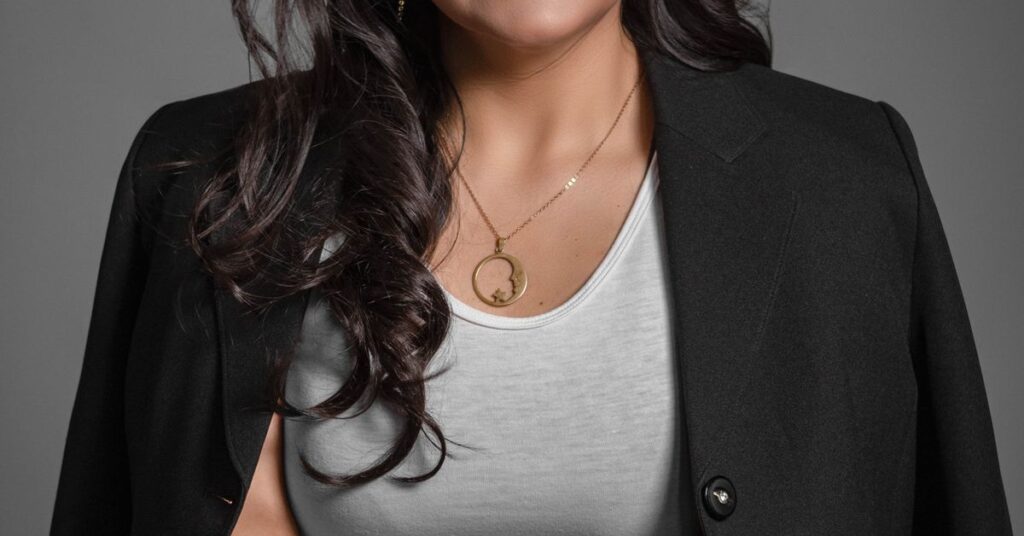
The best Gemini prompt for professional photo edits does three jobs: it tells the model what must stay the same, what to change, and what to avoid. Most disappointing AI headshots go wrong because the face drifts, the skin turns plastic, or the background looks fake. The fix is rarely a magic word. It’s a clear, ordered prompt. Below you’ll find a simple structure, 12 copy-and-paste prompts for headshots and portraits, and a checklist for spotting problems before you post the result.
Gemini prompt for professional photo: the formula
Write it in three blocks: preserve, change, prohibit. Start by saying the uploaded photo is the reference person. List what must not change, such as face shape, age, skin tone and hairstyle. Then describe the new clothing, background and lighting. Finish with what to avoid, such as heavy smoothing or a different expression. Short, concrete wording beats long, flowery wording.
Key takeaways
- Upload one sharp, well-lit, front-facing photo of the person.
- Put the “keep the same” instructions before any style words.
- Name features and details, not just “keep my face”.
- Avoid vague words like “perfect” and “flawless”. They push the model toward retouching.
- Change one thing per round and use the last result as the new reference.
- Only edit photos of yourself or of people who have agreed.
Before you prompt: choose a good reference photo
The model can only work with what you give it. A better input is the easiest improvement you can make.
- Use a recent photo where the eyes are in focus.
- Face the camera or turn slightly, with head and shoulders in frame.
- Pick soft, even light, like window light from one side. Harsh overhead light leaves heavy shadows.
- Skip beauty filters. They change your face before Gemini even sees it.
- Include only one person. Crop the photo if you need to.
Gemini’s image editing is built on Nano Banana, so our Nano Banana prompt guide is a helpful companion for the basics.
The three-block structure explained
| Block | What goes in it | Example |
|---|---|---|
| Preserve | Features that must not change | Keep my face shape, eyes, nose, jawline, hairline, age and skin tone exactly as in the photo. |
| Change | Clothing, background, framing, light, expression | Dress me in a navy blazer and white shirt on a soft grey studio background, head-and-shoulders framing. |
| Prohibit | Common drift patterns | Do not smooth the skin, slim the face, make me look younger or lighten my skin tone. |
Notice the specifics. “Keep my face the same” is easy for a model to ignore. “Keep my jawline, hairline and the small scar above my left eyebrow” is much harder to ignore. If you have freckles, moles or a gap between your teeth, name them.
12 prompts for professional photos
Replace the details in brackets with your own. Always upload your reference photo with the prompt.
For work profiles
- LinkedIn headshot. “Use the uploaded photo as the reference. Keep my face, hairstyle, age and skin tone unchanged. Dress me in a dark blazer over a light shirt. Plain soft grey background, head-and-shoulders crop, natural friendly expression, soft window-style lighting. Keep real skin texture.”
- Corporate team page. “Keep my face and hairstyle exactly the same. Place me against a clean white background in a charcoal jacket. Even studio lighting, shoulders square to the camera, calm smile.”
- Executive portrait. “Keep my features and age unchanged. Dark suit, subtle blue backdrop with gentle gradient, slight angle to the camera, confident but relaxed expression. Natural skin, no heavy retouching.”
- Consultant or freelancer. “Keep my face the same. Smart casual: open-collar shirt and a light cardigan. Bright modern office blurred in the background, soft daylight.”
For creative and personal use
- Author photo. “Keep my face and age. Seated by a bookshelf, warm lamp light, dark sweater, thoughtful half-smile, shallow depth of field.”
- Outdoor lifestyle. “Keep my face and hair the same. Casual jacket, blurred green park in the background, golden-hour sunlight from the side, relaxed smile.”
- Speaker bio. “Keep my features. Stage-style portrait, dark background, soft rim light on the shoulders, mid-gesture with a natural expression.”
- Black-and-white portrait. “Convert to a classic black-and-white portrait, keeping my face and expression. High contrast, soft studio light, visible skin texture.”
For small fixes
- Background swap only. “Replace only the background with a plain light-blue wall. Keep me, my clothing and my pose exactly as they are.”
- Lighting fix. “Brighten the lighting on my face and remove harsh shadows under my eyes. Do not change my features or skin tone.”
- Clothing change. “Change my T-shirt to a plain white button-up shirt. Keep everything else identical.”
- Crop and framing. “Extend the image to a square head-and-shoulders crop with a little space above my head, for a profile picture.”
More ideas for everyday requests are in our 50 Gemini prompts.
Why the face sometimes drifts, and how to stop it
Image models try to make a picture look “good”, and they have a built-in idea of what good means. That causes five common problems.
| Drift | What you see | Add this to the prompt |
|---|---|---|
| Skin smoothing | Pores and freckles vanish | “Keep real skin texture, pores and freckles.” |
| Face reshaping | Slimmer jaw, bigger eyes | “Keep jawline, eye size and spacing identical.” |
| De-ageing | Fewer lines, younger look | “Keep my apparent age the same.” |
| Skin tone shift | Lighter or warmer skin under studio light | “Keep my skin tone exactly as in the photo.” |
| Hairline tidying | Receding edges look fuller | “Keep my hairline unchanged.” |
If something is off, don’t rewrite the whole prompt. Add a single targeted line for that feature and run it again. Reply in the same chat so the model has the context.
How to check the result like a pro
- View the image at full size next to your original, not as a thumbnail.
- Compare eye shape and spacing, nose, jawline, hairline and hair colour.
- Confirm skin texture and tone match.
- Look at hands, collars, jewellery and the edges of the hair for glitches.
- Check there is no stray or garbled text in the background.
- Show it to someone who knows you. If they hesitate, adjust.
Which model should you use?
For most headshots the default model in the Gemini app is enough. If you have a paid plan and the first results keep missing detail or realism, you can try the Pro version for another pass. Our Nano Banana Pro guide explains the difference. Image allowances vary by plan, so try your best two or three prompts instead of generating dozens.
Know the limits and the ethics
- Not for official ID. Passports, visas and similar documents need real photographs.
- Consent matters. Edit only your own photos or photos of people who have agreed. Gemini can’t verify consent.
- Be honest where it counts. Some employers, platforms and clients ask for real photos or for disclosure of AI edits. Check the rules before you post.
- Age rules. Third-party summaries of Google’s policy say photo editing needs an adult account. Check Google’s current terms.
- Watermarks. Gemini images carry SynthID, an invisible mark that helps detect AI-made content.
Our disclaimer reminds readers that this site is independent of Google and offers information only.
Frequently asked questions
What is the best Gemini prompt for a professional headshot?
Use three blocks. First, say the uploaded photo is the reference and list what must stay the same, such as face shape, age, skin tone and hairline. Second, describe the new clothing, background and lighting. Third, list what to avoid, such as heavy skin smoothing.
How do I keep my face the same in Gemini?
Name specific features rather than saying keep my face. List jawline, eyes, nose, hairline, apparent age, skin tone and marks such as freckles or scars. Put this preserve list before any style words, and change one thing per round.
Why does Gemini make my skin look too smooth?
Image models tend to retouch by default, and words like flawless or perfect make it worse. Add a line asking for real skin texture, pores and freckles, and avoid those words. Start from a photo with no beauty filter applied.
What kind of photo should I upload for a headshot?
Use a recent, sharp photo of one person facing the camera or slightly turned, with head and shoulders in frame and soft even light such as window light. Avoid filters, harsh overhead lighting and photos where the eyes are out of focus.
Can I use an AI headshot on LinkedIn or a CV?
Often it is allowed, but rules vary by platform, employer and country. Some ask for a real, recent photo of you. Make sure the image still looks like you, check the platform’s policy and be honest if someone asks how it was made.
Is it okay to edit other people’s photos in Gemini?
Only with their clear consent. Gemini cannot verify permission, so the responsibility is yours. Do not use AI to imitate real people or mislead others, and never use AI-edited images for passports, visas or other official identification.
Getting a headshot you’d actually use
Good results come from a clean reference photo, specific “keep” instructions and small, one-at-a-time corrections. Save the prompt that works for you so you can reuse it. Browse more picture guides in our Gemini and Nano Banana section, learn how we check our advice on the how we test page, or go back to the homepage.
Independent publication. Not affiliated with or endorsed by Google. Limits and prices change; verify in your own account.