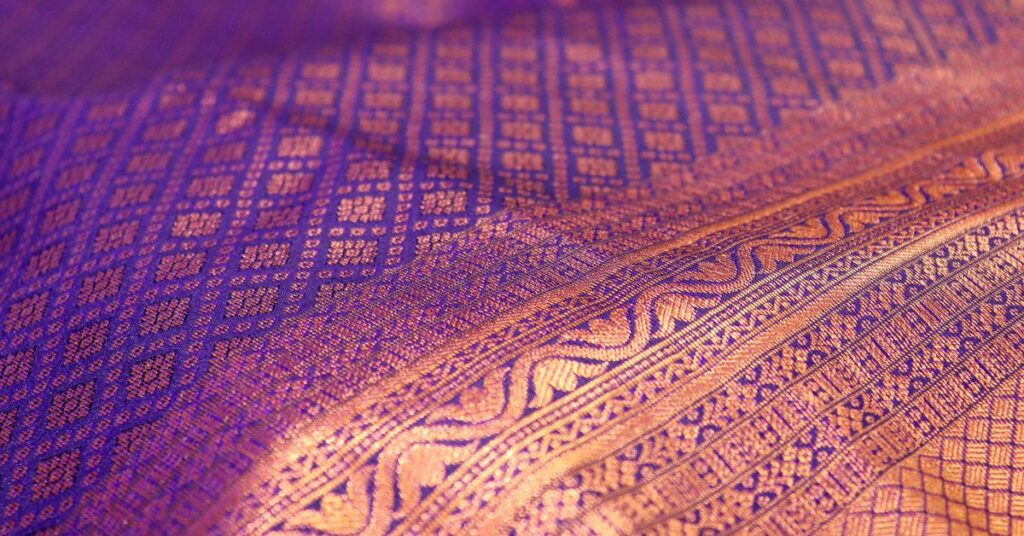
Gemini saree photo prompts work best when you describe the fabric, the colour, the draping and the setting in plain words, and tell Gemini to keep your face and features the same when you edit your own photo. This guide gives you twelve copy-ready ideas, from a classic silk portrait to a monsoon balcony, a retro film look and a temple-courtyard scene, with a tip for each and a simple routine for safe edits. The prompts avoid real people, celebrities and designer names, and they stay respectful of the garment and its many regional styles.
Key takeaways
- Name the fabric and the colour, such as deep red Kanchipuram silk with a gold border, instead of just saying “saree”.
- Describe the setting and the light. A saree photographs differently in soft window light than in harsh noon sun.
- When you edit your own photo, start with “keep the face, hairstyle and expression exactly the same” and change only the outfit.
- Use only photos of yourself or adults who agreed, and avoid uploading images to unknown apps.
- Regional draping styles differ, so describe the one you mean.
How to write Gemini saree photo prompts
A reliable prompt has five parts: the subject, the garment, the setting, the light and the mood. The structure comes from our Nano Banana prompt guide, and you can see the same method used for seasonal scenes in the New Year Gemini photo prompts. Pair it with the newer model described in our Nano Banana 2.1 guide if your account has it.
| Part | Saree examples |
|---|---|
| Garment | Kanchipuram silk with gold border, cotton handloom, soft chiffon, black georgette |
| Setting | Sunlit courtyard, rainy balcony, old library, quiet temple steps |
| Light | Soft window light, golden hour, lamp glow |
| Camera view | Waist-up, three-quarter, close-up of the border and pallu |
| Mood | Elegant, calm, nostalgic |
12 Gemini saree photo prompts to copy
1. Classic silk portrait
“Create a portrait of a woman in a deep red Kanchipuram silk saree with a wide gold border, standing in a sunlit courtyard, soft shadows, natural skin texture, shallow depth of field.”
Tip: name the fabric so the border and sheen look right.
2. Monsoon balcony
“Create an image of a woman in a pale green cotton saree on a balcony during light rain, holding a cup of tea, wet leaves behind her, soft grey light.”
3. Black saree evening look
“Create a waist-up portrait of a woman in a black georgette saree with a thin silver border, warm lamp light, a blurred bookshelf behind her, calm expression.”
4. Handloom close-up
“Create a close-up of the pallu of a handloom cotton saree draped over a wooden chair, visible weave, soft window light, muted earthy colours.”
Tip: fabric close-ups avoid face problems altogether.
5. Golden hour walk
“Create an image of a woman in a mustard silk saree walking along a stone path at golden hour, seen from behind with the pallu lifting in the breeze.”
6. Temple steps (respectful)
“Create a quiet photo of a woman in a cream and maroon saree sitting on old stone steps in a temple courtyard, early morning light, no deity images in the frame.”
7. Your own photo, saree swap
“Edit this image. Keep the face, hairstyle and expression exactly the same. Change only the outfit to a royal blue silk saree with a gold border draped in the classic Nivi style. Keep the pose and background.”
Tip: use a sharp, front-facing photo of yourself.
8. Retro film look
“Create an image of a woman in a chiffon saree standing by a window styled like a 1970s film photograph, warm grain, soft focus, faded colours.”
Tip: name the decade and look. Do not name a real film or actress.
9. Bridal-inspired red and gold
“Create a portrait of a woman in a red and gold silk saree with simple jewellery, sitting in a softly lit room with marigold garlands, tender expression.”
10. Garden tea party
“Create an image of two friends in pastel sarees at a garden table with tea and snacks, dappled sunlight, candid laughter.”
11. Office-festive blend
“Create an image of a woman in a navy cotton saree with a small print at a desk with a laptop, warm daylight, relaxed and confident.”
12. Close-up of border and jewellery
“Create a close-up of a woman’s shoulder and the zari border of a silk saree with small gold earrings, soft side light, blurred background.”
Editing your own photo safely
- Use a sharp, front-facing photo in even light.
- Start with the lock line: keep the face, hairstyle and expression exactly the same.
- Change one thing, such as the saree colour, and keep the pose and background.
- Zoom in and compare eyes, nose and jawline with the original.
- Refine in short steps, for example “make the border a little wider”.
- Save your best prompt for next time.
Common problems and fixes
| Problem | Fix |
|---|---|
| Draping looks wrong | Name the style, such as Nivi, and ask for the pallu over the left shoulder |
| Border or pattern is messy | Describe it simply, such as a wide gold border |
| Face changes | Use a sharper photo and repeat the lock line |
| Skin looks plastic | Ask for natural skin texture and soft light |
| Jewellery overdone | Say “minimal jewellery” or “small gold earrings only” |
| Request refused | Rephrase and avoid real people, public figures and children |
Privacy, respect and honesty
- Use your own photos or photos of adults who agreed.
- Be careful with free apps that offer saree trends. Read what they do with your photos before uploading.
- Do not upload photos of children, and do not create images of real public figures.
- Describe regional styles accurately and respectfully.
- Label AI images that could be mistaken for real photographs.
Our Gemini watermark guide explains how Google marks AI images. The how we test page and the disclaimer explain how we work, and the Gemini and Nano Banana category has more guides.
Ways to extend the set
- A colour series of the same portrait in five saree shades.
- A fabric-only series of borders and pallus for a mood board.
- A matching set for different regional styles, with accurate descriptions.
- A saved list of the prompts that worked, so you can reuse them for festivals.
These are templates, not lab-tested recipes, so results vary with the model and your plan. More general ideas are in our Gemini prompts guide.
Details that make a saree image look right
A saree is long, layered fabric, and small mistakes in the drape stand out. Before you generate, decide which parts matter most: the border, the pallu, the pleats or the blouse. Mention only the one or two that matter, and keep the rest simple. A prompt that lists every element often confuses the model and produces odd folds.
It also helps to match the fabric to the light. Silk looks best in soft, directional light that shows the sheen, cotton suits flat daylight that reveals the weave, and chiffon needs a little movement or breeze to look weightless. If a result looks stiff, ask for “a gentle breeze lifting the pallu” or “soft folds in the pleats”. If it looks messy, ask for “neat, even pleats”.
Finally, keep the garment respectful. A saree is everyday wear for millions of people and ceremonial dress for many, so avoid prompts that treat it as a costume or a joke, and avoid mixing regional styles by accident.
Keep your final images consistent by reusing the same short description of the garment in every prompt, and save a favourite pair of prompts for each occasion.
Frequently asked questions
What are good Gemini saree photo prompts?
Name the fabric, colour, setting and light, for example a deep red Kanchipuram silk saree with a gold border in a sunlit courtyard.
How do I change my outfit to a saree without changing my face?
Upload a sharp photo, say keep the face, hairstyle and expression exactly the same and change only the outfit to a named saree.
Why does the saree drape look wrong?
Models struggle with long fabric. Name the style, such as Nivi, mention only one or two details and ask for neat, even pleats.
Is it safe to use saree trend apps?
Read what the app does with your photos before uploading. Prefer tools whose privacy terms you understand and avoid uploading photos of children.
Can I use celebrity or designer names in prompts?
No. Describe the look in plain words and avoid real people and brand or designer names.
Should I label AI saree images?
Yes, when they could be mistaken for real photographs. A short caption such as created with AI is enough.
Final thoughts
A good saree image needs a named fabric, a clear colour, soft light and an accurate drape. Start from a template, lock your face for edits, change one thing at a time and share the result honestly.
Independent publication. Not affiliated with or endorsed by Google. Limits and prices change; verify in your own account.